Make Cheap International Calls to Pakistan
Talk more for less with our great-value international calling bundles for Pakistan.
PAY AS YOU GO
Global Credits
Make cheap calls to Pakistan, 4.0p/min.
£5
125 Minutes
£10
250 Minutes
£15
375 Minutes
Show All Rates

Loving the Talk Home App. I have to say it’s rather different from other calling apps.
Emily N.
Serving
0+
Destinations
Connecting
0M+
Calls / Month

DOWNLOAD TALK HOME APP
Connect globally with cheap calls, instant mobile top-ups, and gift cards, all in one app.
Download Talk Home App
Get our free call and text app today to instantly connect with family & friends worldwide.
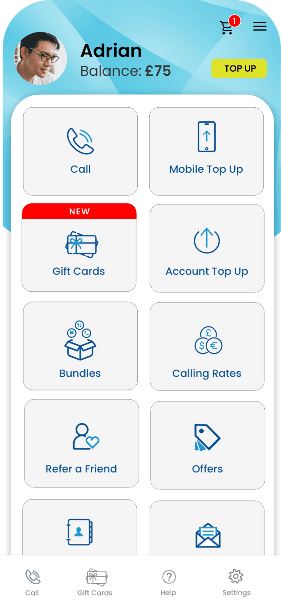
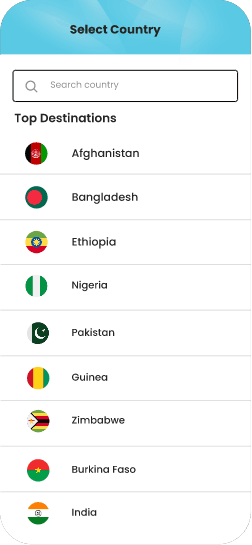
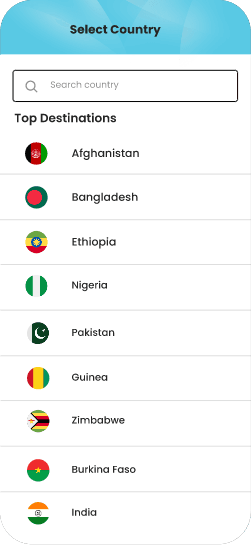
MOBILE TOP-UP
How it Works
Recharge any mobile worldwide in just a few taps. It’s that simple:
Enter the Number
Input your loved one’s prepaid phone number.
Pick a Top-Up
Choose your desired airtime top-up or bundle.
Confirm & Send
Review and pay - your top-up is done in seconds.
GIFT CARDS
How it Works
No delays, no hassles - send the best gift card to your loved ones in just 3 simple steps:
Pick a Gift Card
Pick the perfect gift card you want to send.
Enter the Email
Enter your recipient's email and proceed.
Confirm & Send
Review and pay to send your chosen gift card.
INTERNATIONAL CALLS
How it Works
Make an international call worldwide in seconds with 3 simple steps:
Open Talk Home App
Tap on the 'Call' button in the Talk Home App.
Dial or Search Contact
Enter the number or find it in your contact list.
Connect the Call
Tap on 'Call' to connect your crystal-clear call.
The Stories Behind the Stars
Real Connections, Real Stories - see what our users say about our services.
Emily N.
I have just arrived in South America and didn’t have mobile service. Using Talk Home through my iPad, I was able to call the UK immediately at minimum cost. A first-class tool when traveling.
5.0 ★★★★★

Roger Wild
Loving the Talk Home App. I have to say it’s rather different from other calling apps – well designed and easy to use.
Thanks to the team and keep up the great work!
4.9 ★★★★★

Taff Rees
Its voice quality is excellent! Thank you so much for having a wonderful app like this. Nowadays, I am recommending my friends & families to use and enjoy Talk Home’s awesome features.
5.0 ★★★★★
Frequently Asked Questions
To call any international number, start by entering the correct country code, followed by the recipient’s phone number.
For landlines, include the area code (without the leading zero).
For mobile numbers, simply enter the full number after the country code.
You can also use the “+” symbol instead of your country’s exit code for a quicker dial.
To get started, download the Talk Home App, register your account, and add credit. Once your balance is available, you can begin making international calls directly from the app.
Open Talk Home App on your phone. If you are a new user, register yourself on the app. To register a new account,.
If you are already registered with Talk Home App, you can log in to your account
You will need to top-up your account to get connected. You can also explore our international calling bundles to connect longer for less.
Talk Home App is free to download from the Play Store and the App Store . With Talk Home App, you can make international calls at affordable calling rates.
To register yourself on Talk Home App, go to the Register page . Enter your name, phone number, and email. Click on the Next button to proceed with the registration process.
To register yourself through the app, download the app. Next, enter your phone number. You will receive your PIN through an SMS. Enter the PIN on the app. You are all set to go.
To top-up your account through the website, simply go to the top-up section. Enter your registered number and the amount to be topped up. Then click on the ''Next'' button.
To top-up from your phone, simply tap on the Top-Up icon on Talk Home App. You will see the following on-screen options to top-up your account:
- Voucher
- Top-up by Card
- Top-up by PayPal
- Call to top-up
- In-App Transfer
Select your preferred mode of payment and follow the respective guidelines.
To make an in-app transfer, go to the Send Credit section. Enter the Phone Number and click on the Next button.
For Talk Home App in-app transfer, go to the top-up section in your app, tap the in-app transfer icon. Input the phone number and the amount you’d like to transfer. Finally, tap the Transfer button
GO GLOBAL, LIVE LOCAL
Connect, Recharge, Repeat!
Instant top-ups, crystal clear calls, no hassles - join the Talk Home Family NOW!
DOWNLOAD TALK HOME APP HERE!
SCAN QR CODE
Download our app for iOS & Android.